




Quick links
How to receive a Voice OTP or Flash Call
- By SMSPool Admin
- SMSPool
Why is Voice OTP/Flash Call a helpful feature?
Some websites and services use Voice OTP verification to enhance security and ensure that users are genuine. By requiring a one-time password delivered via an automated phone call, these platforms add an extra layer of trust during registration. Supporting Voice OTP allows you to seamlessly sign up for services that use this verification method, helping you register accounts with confidence.
NOTE: THIS ONLY WORKS ON THE MIKE AND SIERRA POOL NUMBERS
How do I use the Voice OTP/Flash Call feature?
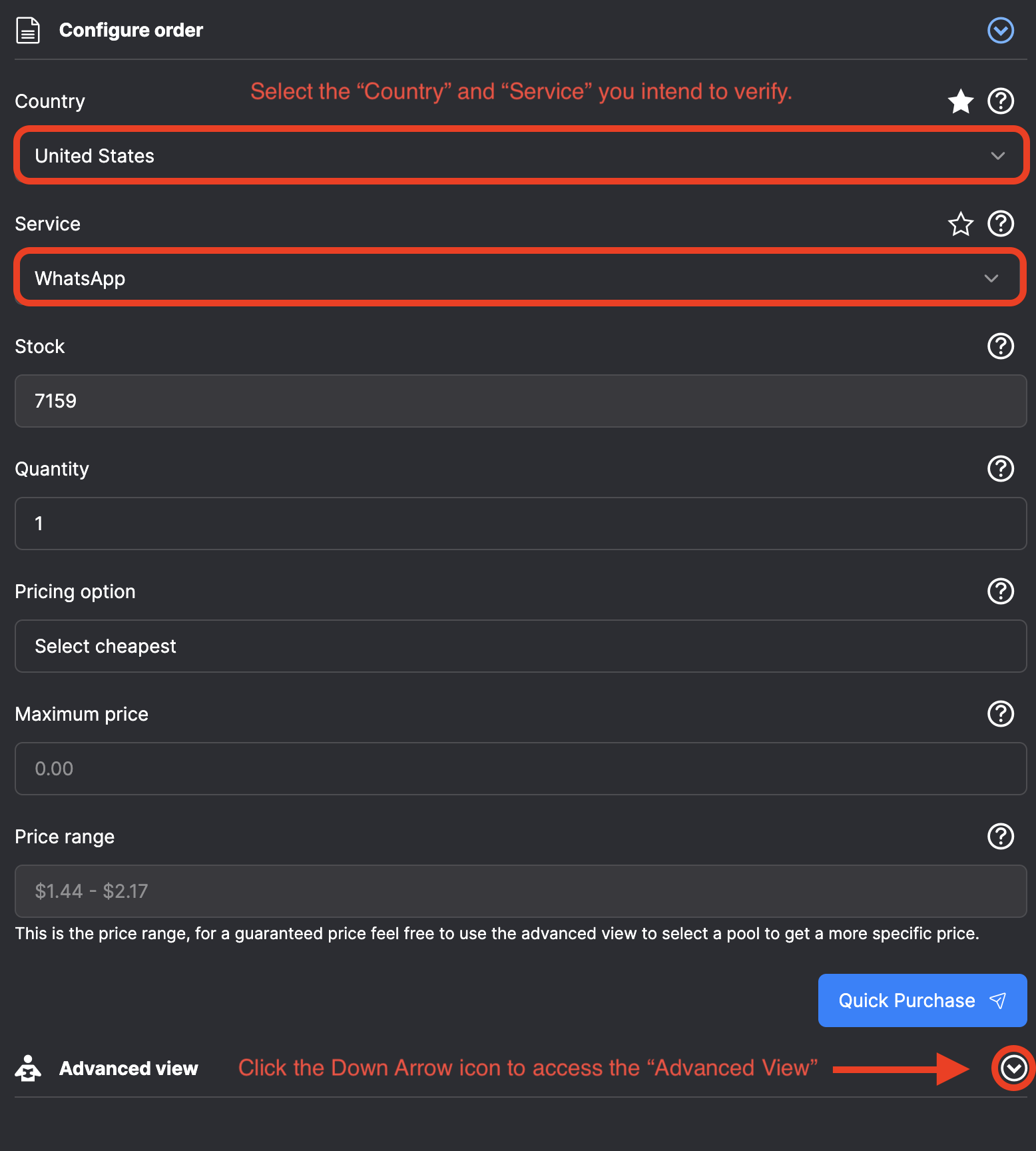
- Navigate to the "Order" page on SMSPool.
- Select the "Country" and "Service" you intend to verify, e.g., if you wish to verify "WhatsApp", select the "WhatsApp" service.
- Scroll down and click the white arrow on the "Advanced View" section.
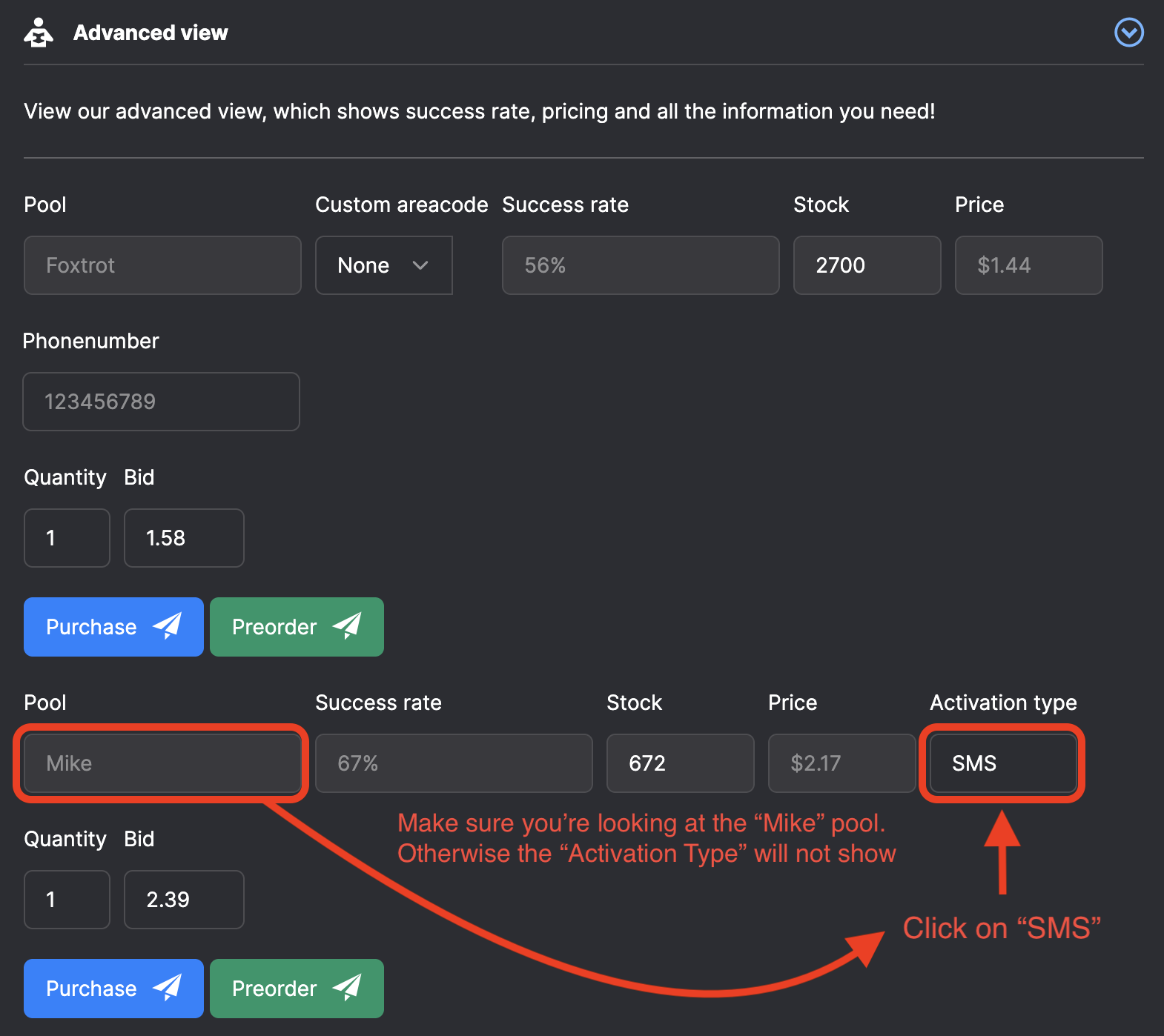
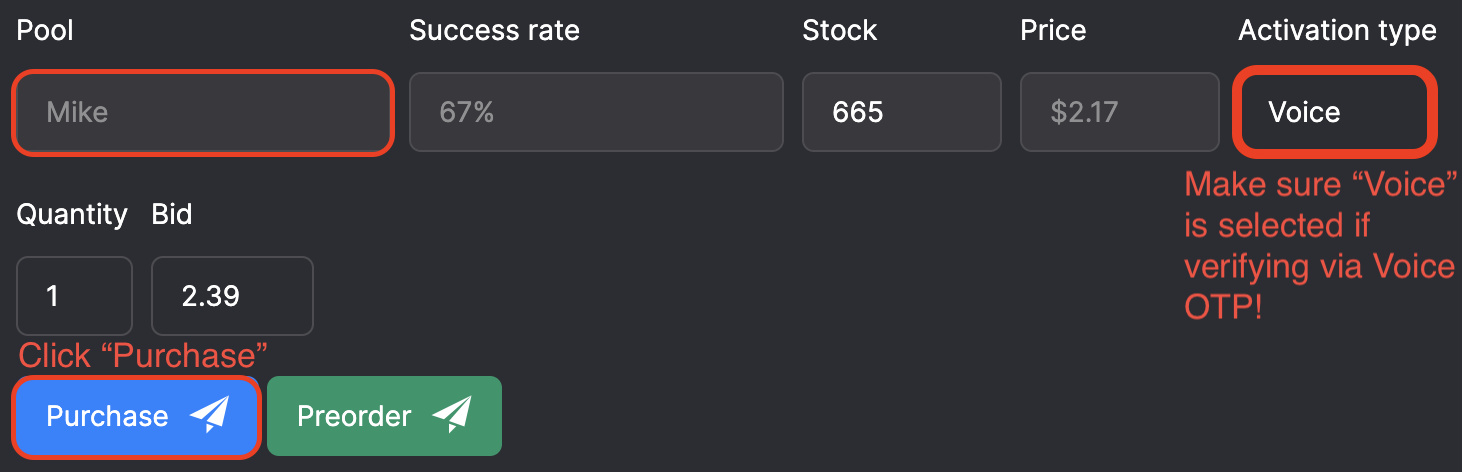
- Scroll down again until you see the "Mike" pool and the "Activation Type" Drop-down menu.
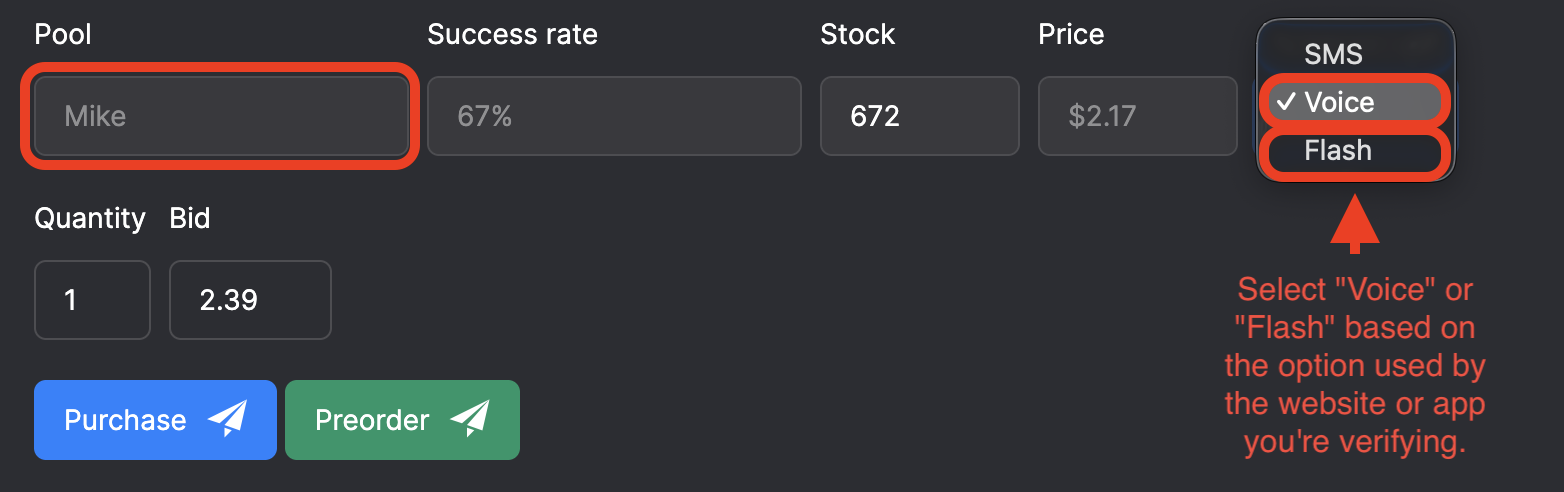
- Select the "Activation Type" drop-down menu and select either Voice or Flash, depending on which feature you need to use.
- Once you have selected "Voice" or "Flash," click the blue "Purchase" button on the "Mike" pool section of the "Advanced View".
- Voila, you have now purchased a phone number that works with the Voice OTP or Flash feature.
- Scroll to the top of the "Order" page, and you should see the phone number.
Important notes:
- Please note that the Voice OTP/Flash Call option works ONLY on the Mike pool; this is why you do not see the Activation Type on other pools.
What is the difference between Voice OTP and Flash Calls?
- Voice OTP sends a one-time password through an automated phone call. Our system detects the call and automatically relays the code to you, so you can complete verification without listening to the full message.
- Flash Calls, is where the service you're attempting to register calls the phone number, and you need to enter the last four digits of the number that called. Our system also detects this incoming call and retrieves those digits for you, speeding up the verification process.
Here is an image based tutorial:
About the author
SMSPool Admin
The owner of SMSPool.net, a site that originally started as a hobby but saw rapid expansion due to the high demand, loves anything technology related and loves writing about technology related articles.
www.smspool.netOther interesting articles
Get a Number for Seated Phone Verification
Seated blocks VoIP numbers during signup. SMSPool provides real, non-VoIP long-term rental numbers that pass Seated's verification and keep your alerts active.
- By Admin
- May 22, 2026
How To Get an UK Phone Number
SMSPool introduces groundbreaking non-VoIP UK phone numbers, ensuring secure online verifications, accessible globally, with a simple guide for SMS verification.
- By Admin
- January 23, 2024
How to Pass Forest Bikes SMS Verification
Forest Bikes SMS verification failing? Learn why VoIP numbers get blocked and how to verify your account instantly with a real non-voIP UK number from SMSPool.
- By Admin
- April 20, 2026
Multilogin Cloud Phone: Honest Review
Multilogin cloud phones reviewed: isolated Android environments, built-in proxies and persistent sessions. See how it pairs with SMSPool for SMS verification.
- By Admin
- May 27, 2026
Why You Should Use an Online SMS Provider
Why should you use an online SMS provider to receive non-VoIP SMS verifications to maximize your security?
- By Admin
- January 20, 2022
How to get a discounted FreeNow ride
This guide shows you how to create a Freenow account with our Freenow SMS verification service.
- By Admin
- April 17, 2024
How to Report Abuse to SMSPool
This guide explains how to report abuse and violations to SMSPool
- By Admin
- December 18, 2025