




Quick links
New SMSPool App for iPhone, iPad & Android
- By SMSPool Admin
- News
We rebuilt our mobile apps from scratch for iPhone, iPad and Android. Here is what has changed.
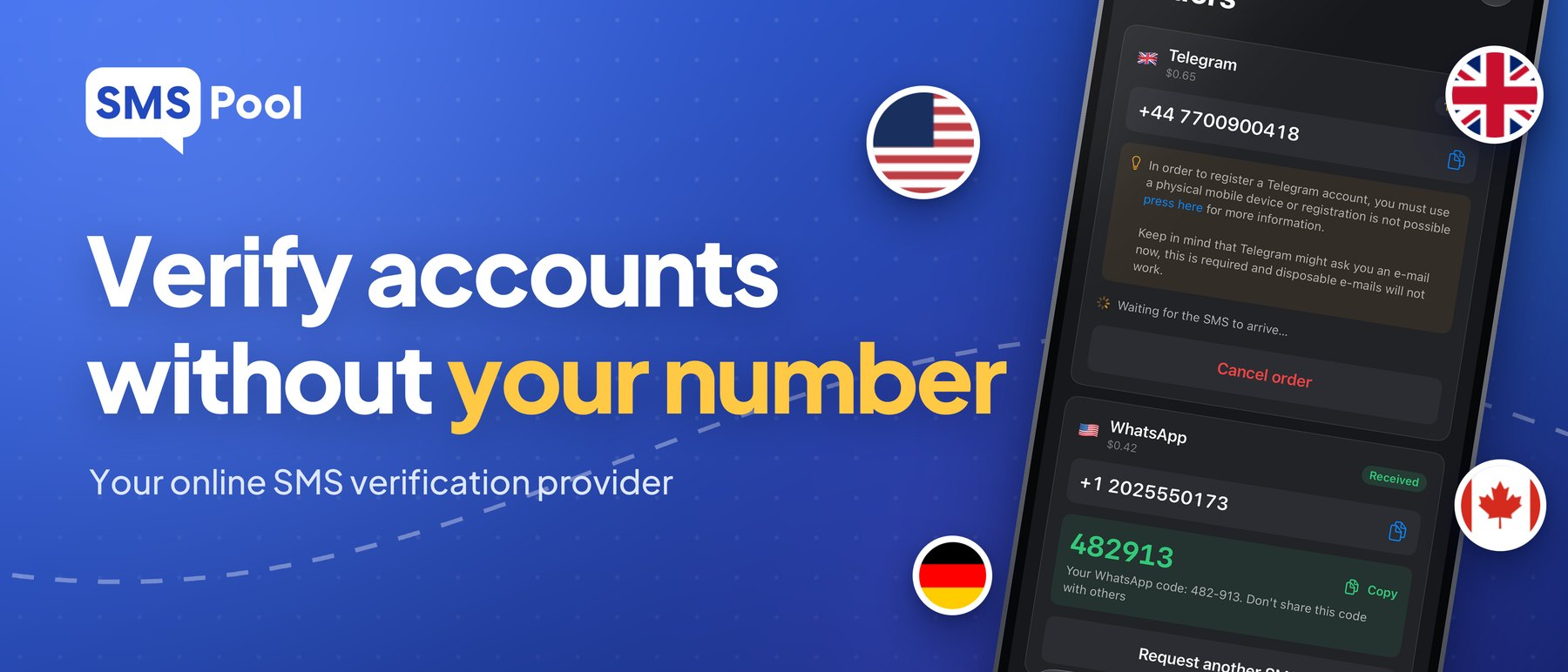
Our old app launched in 2024 and it was long overdue a refresh. So here we are.
The new apps have a clean new design, a much quicker way to sign up and live updates on your orders. They are live now on the App Store and Google Play.
Get it here:
Sign up in seconds
There are two ways to sign up. You can register a normal account, and adding an email is optional. Or you can create one in seconds with no email or password. You get a 16-digit account number, and that is all you need to log in, so keep it somewhere safe.
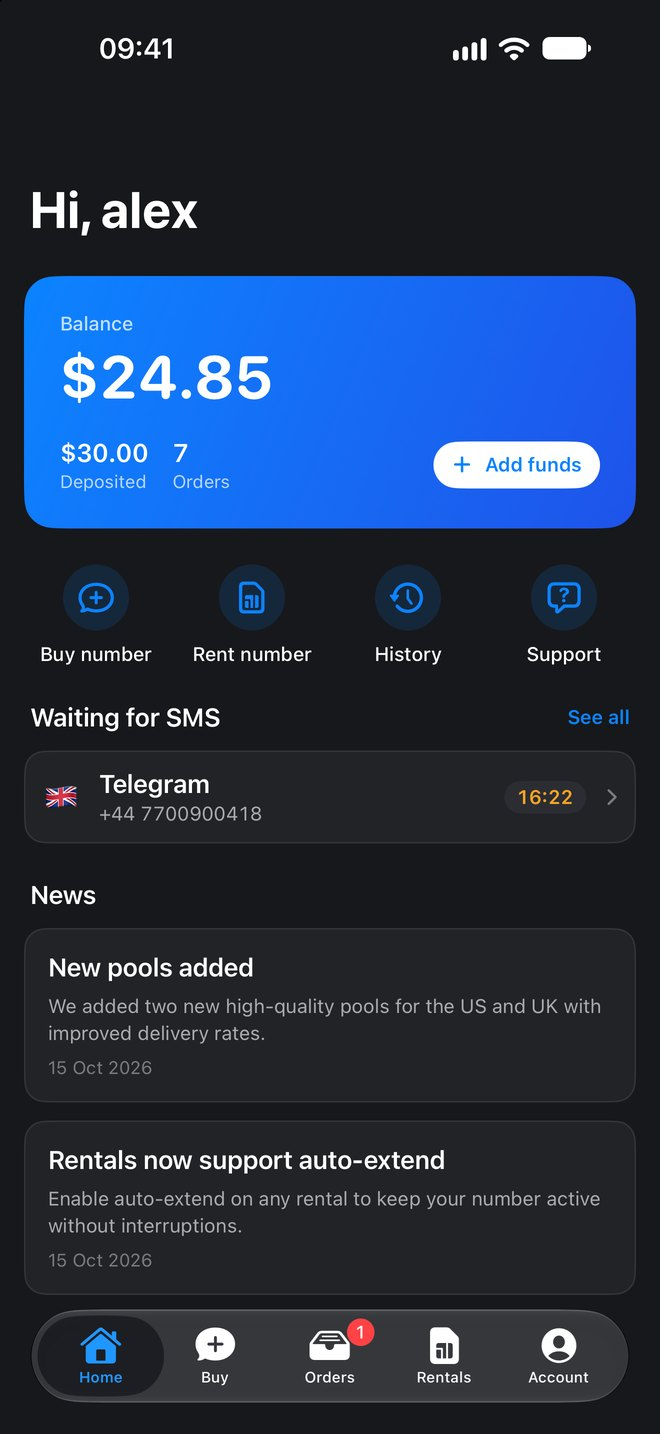
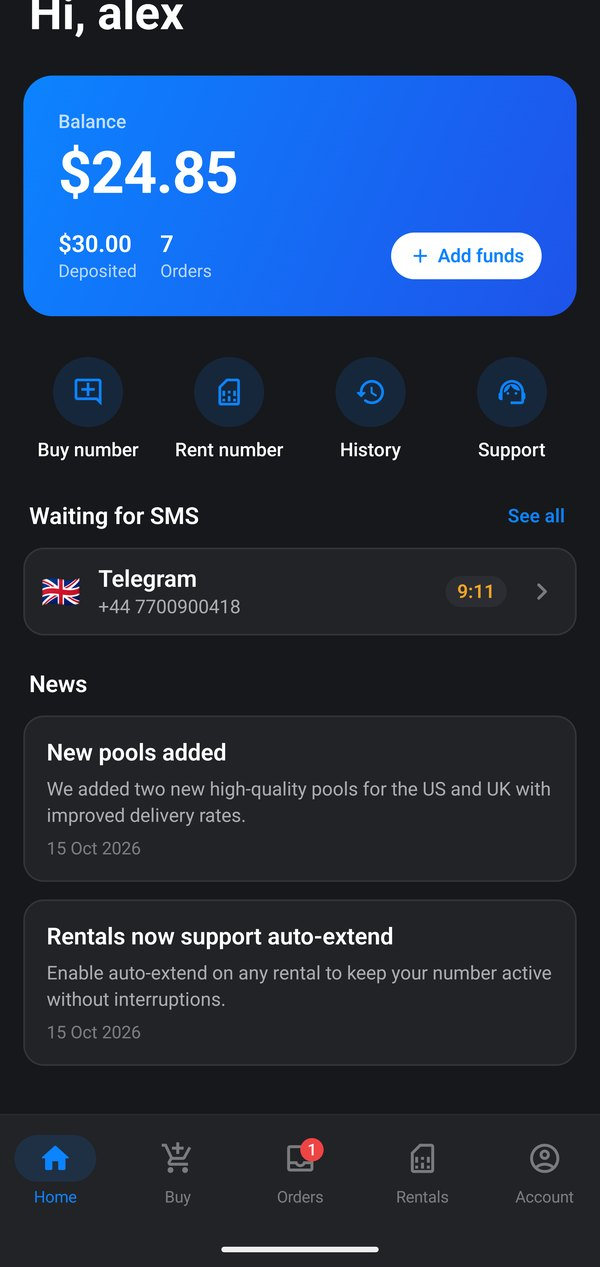
Once you are in, your home screen shows your balance, quick buttons for buying and renting numbers, and any order waiting for a code.
See your code the moment it arrives
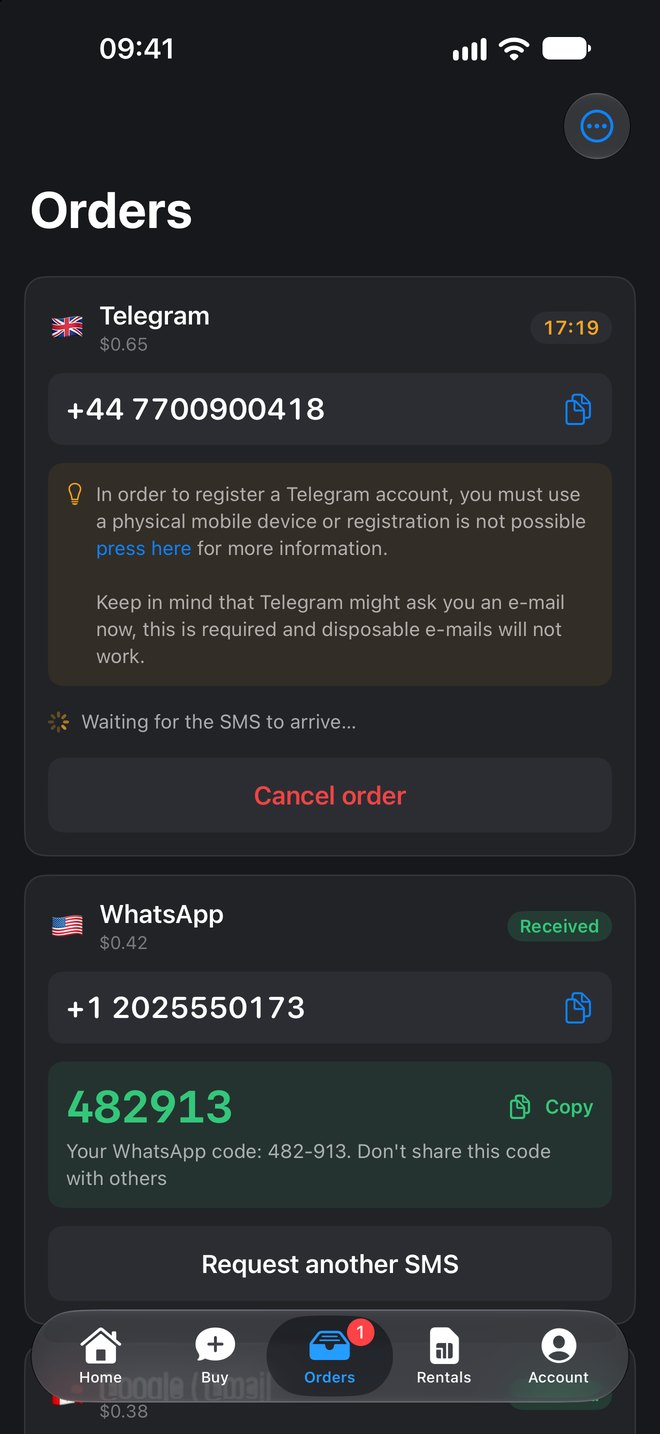
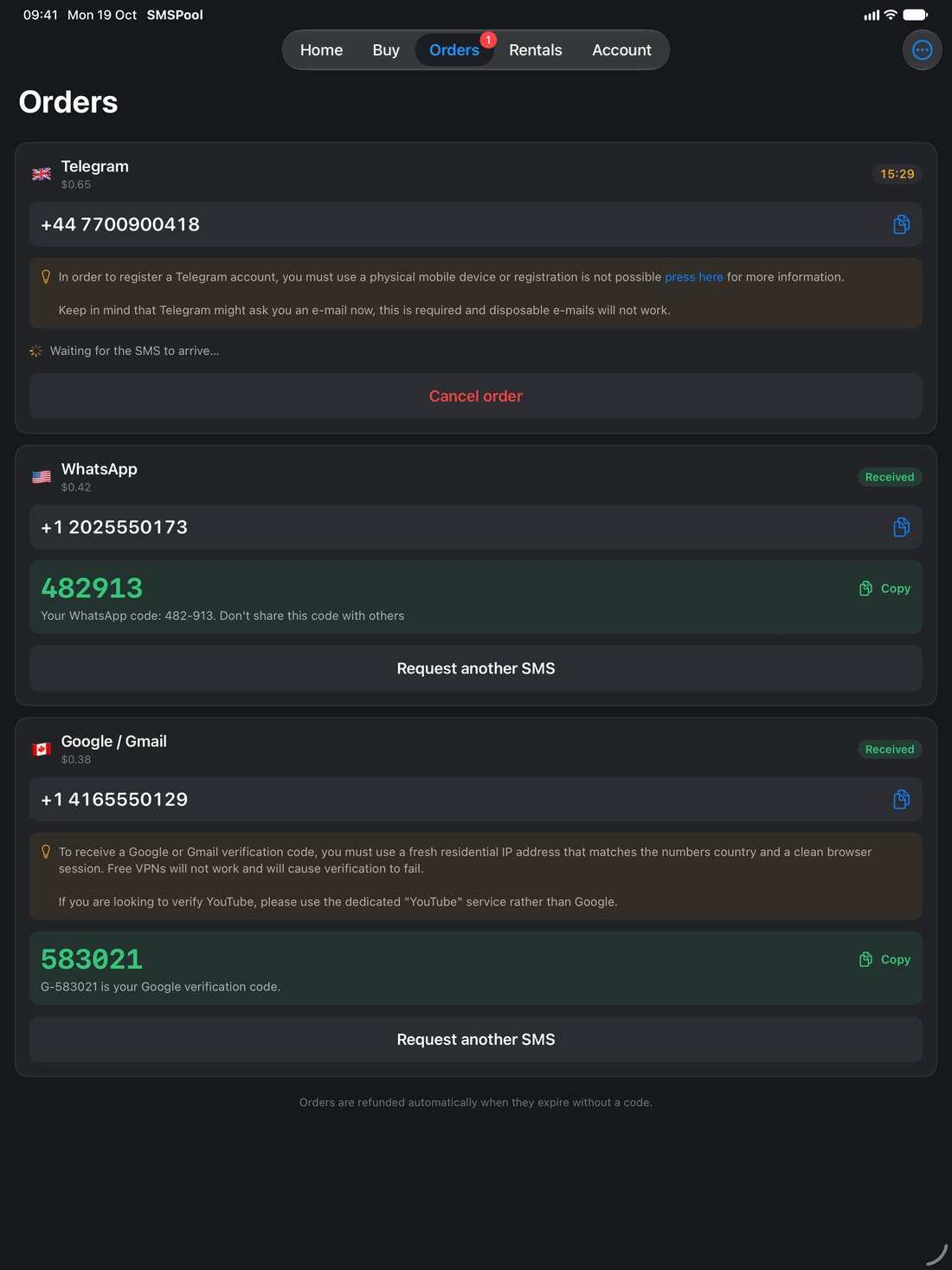
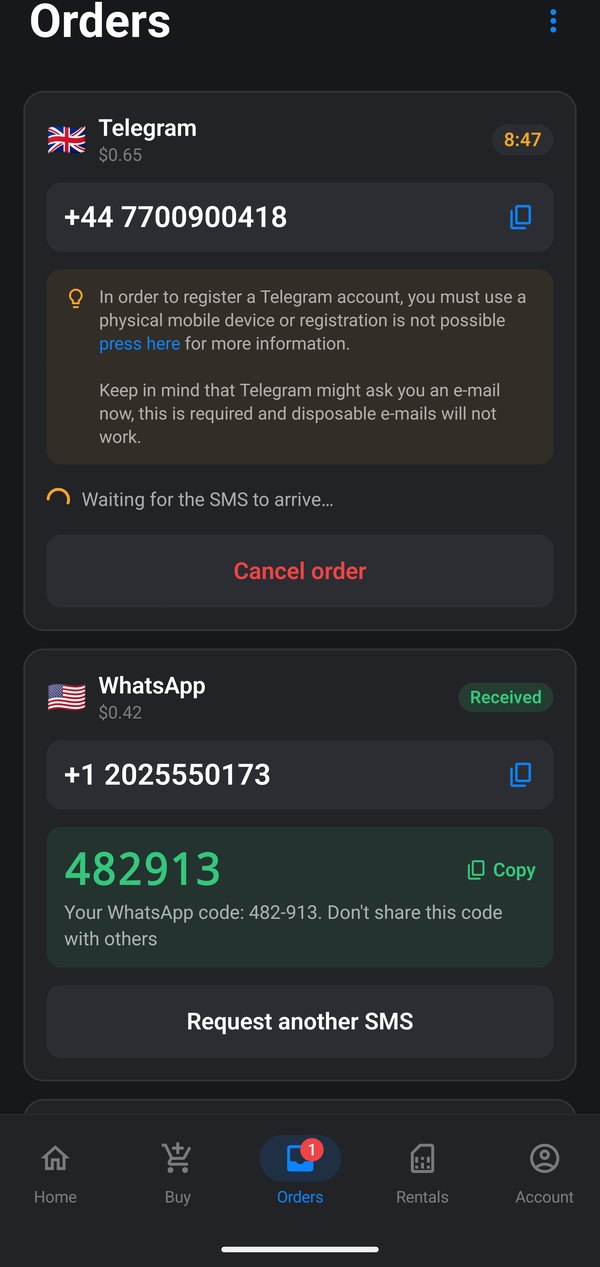
Orders are now live. When a code lands, it appears straight away. No refreshing, no pulling down, no guessing.
Tap copy and paste it where you need it. You only pay if a code arrives. Unused numbers are refunded automatically.
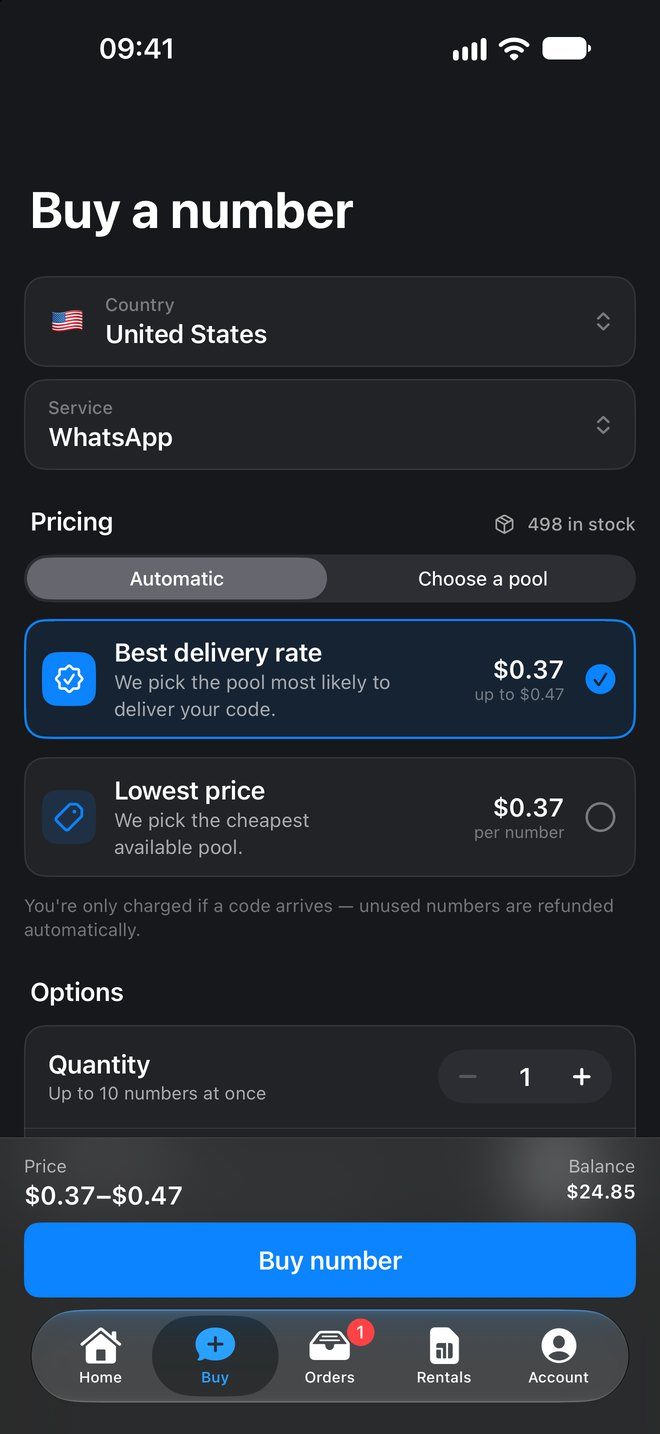
Choose how we pick your number
You decide what matters most for each order:
- Best delivery rate picks the pool most likely to deliver your code.
- Lowest price picks the cheapest available pool.
- Choose a pool lets you pick a specific pool yourself.
Need more than one? Buy up to 10 numbers at once and set a maximum price per number, so you never pay more than you planned.
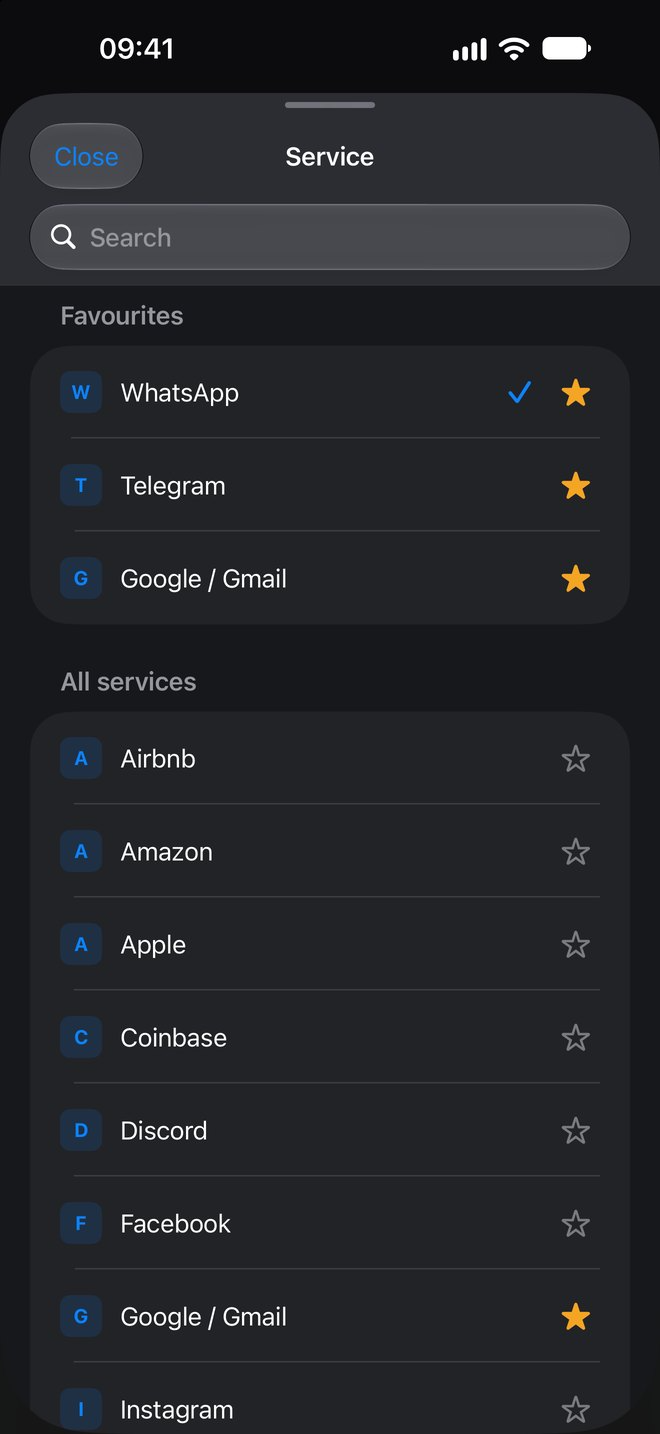
Favourite the services you use most
Tap the star next to any service and it moves to the top of your list. WhatsApp, Telegram, Google or anything else you use all the time is always one tap away.
Not in your favourites? Search the full list instead.
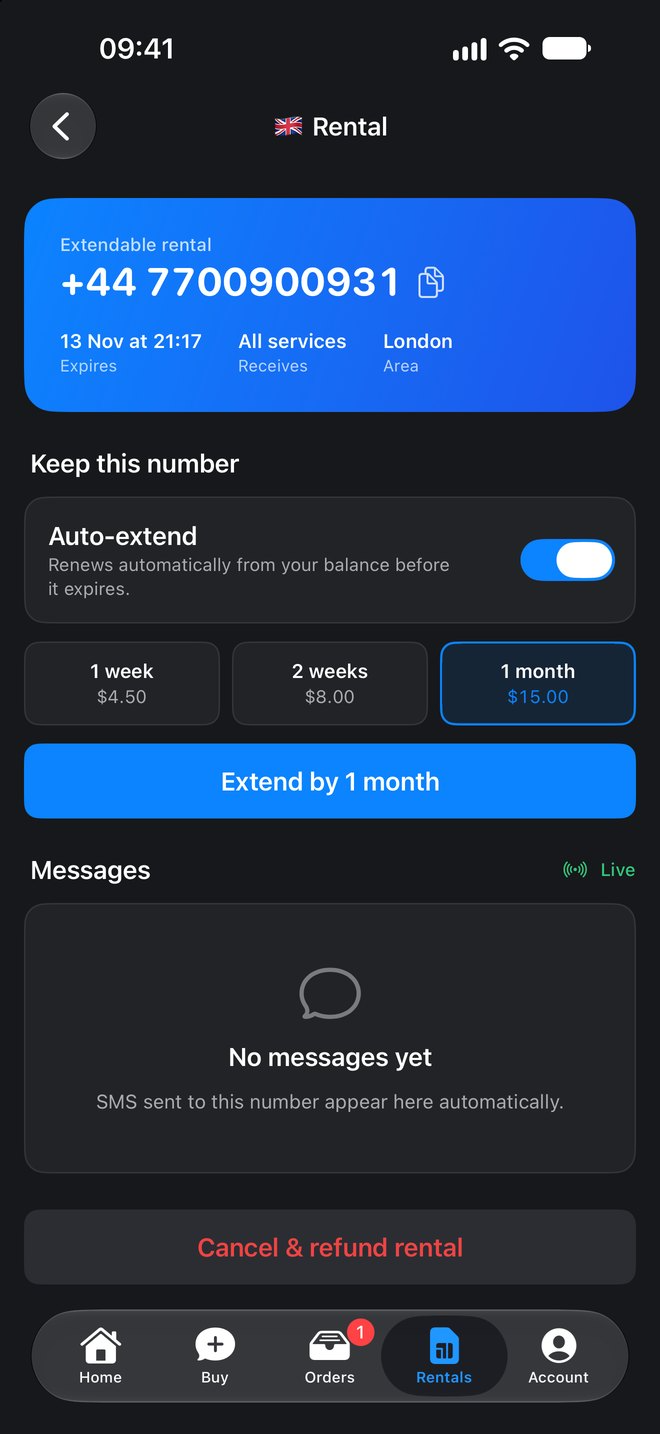
Rent a number and keep it
Need a number for longer? Rentals are easier to manage now. Extend manually whenever you like, or switch on auto-extend and we renew it from your balance before it expires.
Incoming messages show up live on the rental page too.
Tips for tricky services
Some services are fussy about how you sign up. The app now shows a tip right on your order, so you know what to do before you waste a try. The Telegram and Google / Gmail orders below show how it looks.
A few smaller upgrades
- USD everywhere. Balances and prices are now shown in US dollars.
- Smarter copying. Copy a number with or without the country code.
- New design. A fresh look built for iPhone, Android and iPad.
On iPhone, iPad and Android
The same app, on whichever device you use. Here it is on Android.
Download the new app
Available now on the App Store and Google Play.
Screenshots show a demo account.
Return to knowledgebaseAbout the author
SMSPool Admin
The owner of SMSPool.net, a site that originally started as a hobby but saw rapid expansion due to the high demand, loves anything technology related and loves writing about technology related articles.
www.smspool.netOther interesting articles
Why is my phone number marked as VoIP
Your phone number won't work with an online service? This is due to it being a VoIP phone number, but what makes a phone number VoIP and how do they know?
- By Admin
- June 3, 2022
Line SMS Verification Tutorial
Line asking for SMS verification? Get a real non-VoIP number that Line accepts, keep your personal number private, and verify the app in minutes.
- By Admin
- September 2, 2026
How to Verify Your AliExpress Account
What is AliExpress? Learn how to securely sign up or verify your AliExpress account without using your personal phone number to protect your privacy.
- By Admin
- February 22, 2026
How to get an AOL SMS verification
This guide shows you how to create an AOL account with our AOL SMS verification service.
- By Admin
- May 23, 2024
Why should I choose SMSPool
An article on why you should choose us for your SMS verifications and why you should choose SMSPool
- By Admin
- December 17, 2021
How to get a Twilio SMS verification
This guide shows you how to sign up for a Twilio account with our Twilio SMS verification service.
- By Admin
- April 15, 2024
How to get a Brandclub SMS verification
This guide shows you how to create a Brandclub account with our Brandclub SMS verification service.
- By Admin
- May 25, 2024