




Quick links
Multilogin Cloud Phone: Honest Review
- By SMSPool Admin
- Information
Multilogin is a multi-account management platform built for creators, social media managers and agencies running multiple social media accounts. Each account gets its own dedicated cloud phone: which is fully isolated, has no device chaos and no linked accounts.
Each cloud phone is a cloud-based Android environment that you control remotely using the Multilogin desktop app from any computer. Each Cloud Phone comes with its own unique and genuine IMEI number, a real Android ID and a MAC address used by real Android devices, so platforms can register a real Android handset rather than a standard emulator. This article covers what the product is, how much it costs and how it works.
How Multilogin Cloud Phones Differ From Emulators
Regular Android emulators run locally on your computer and rely on your own hardware. Multilogin cloud phones are Android devices hosted in the cloud that are running on dedicated infrastructure, which means stable, consistent performance for long sessions and multi-account work, without having to use your local machine's resources.
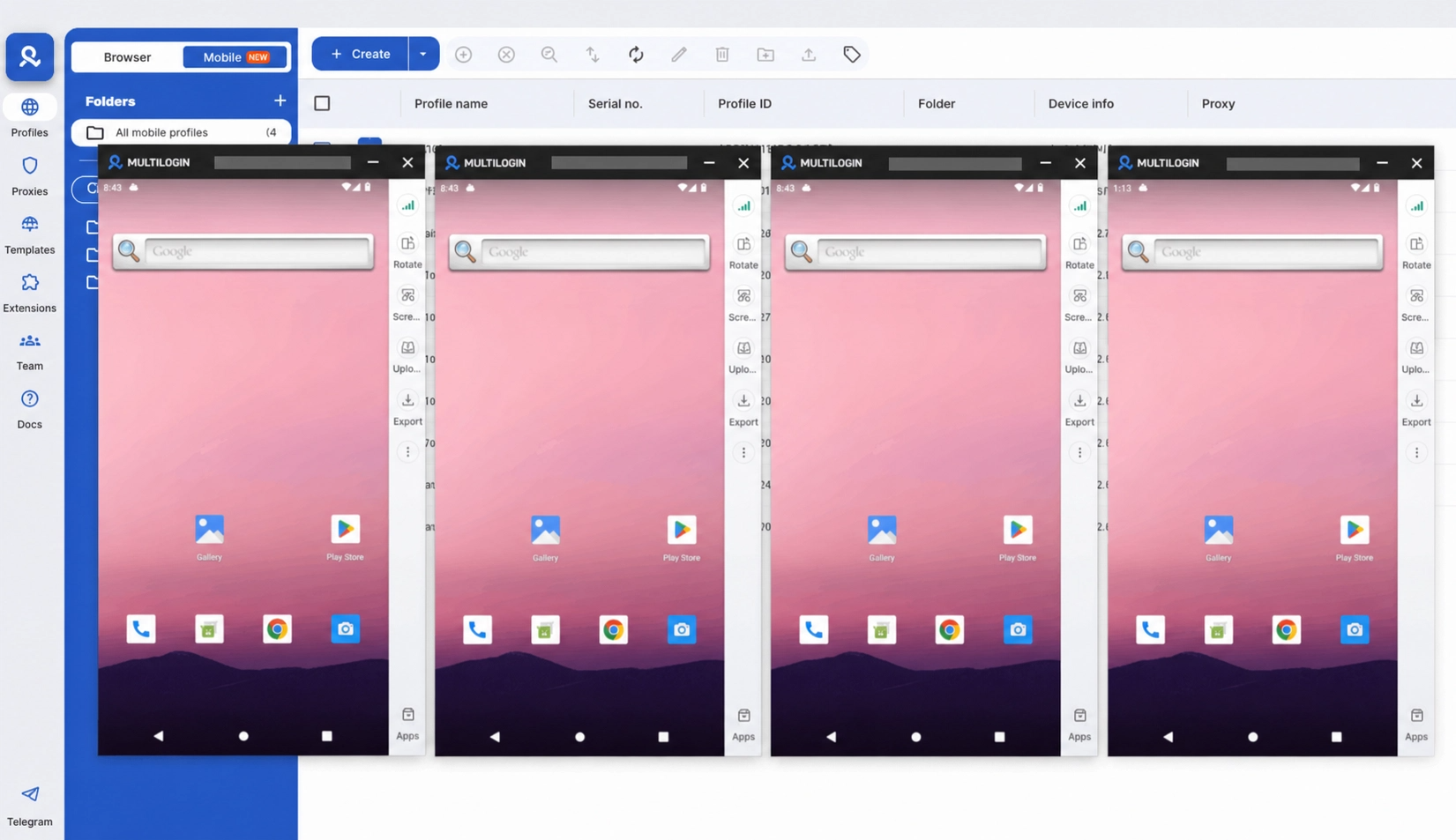
All Multilogin cloud phones run a complete Android environment. Apps like TikTok, Instagram, and WhatsApp install directly from the Play Store. Sessions stay where you left them so that app data, logins, cookies, and browsing history carry over each time.
One Cloud Phone Per Account
Every account gets its own dedicated cloud phone and a fully isolated mobile profile. This means there's no device chaos, no linked accounts, and no risks of accounts being linked together. Just clean separated environments where every account behaves independently. This is the foundation of how Multilogin keeps multi-account workflows risk-free for creators, social media managers and agencies.
Core Features
Real Device Identity Per Account
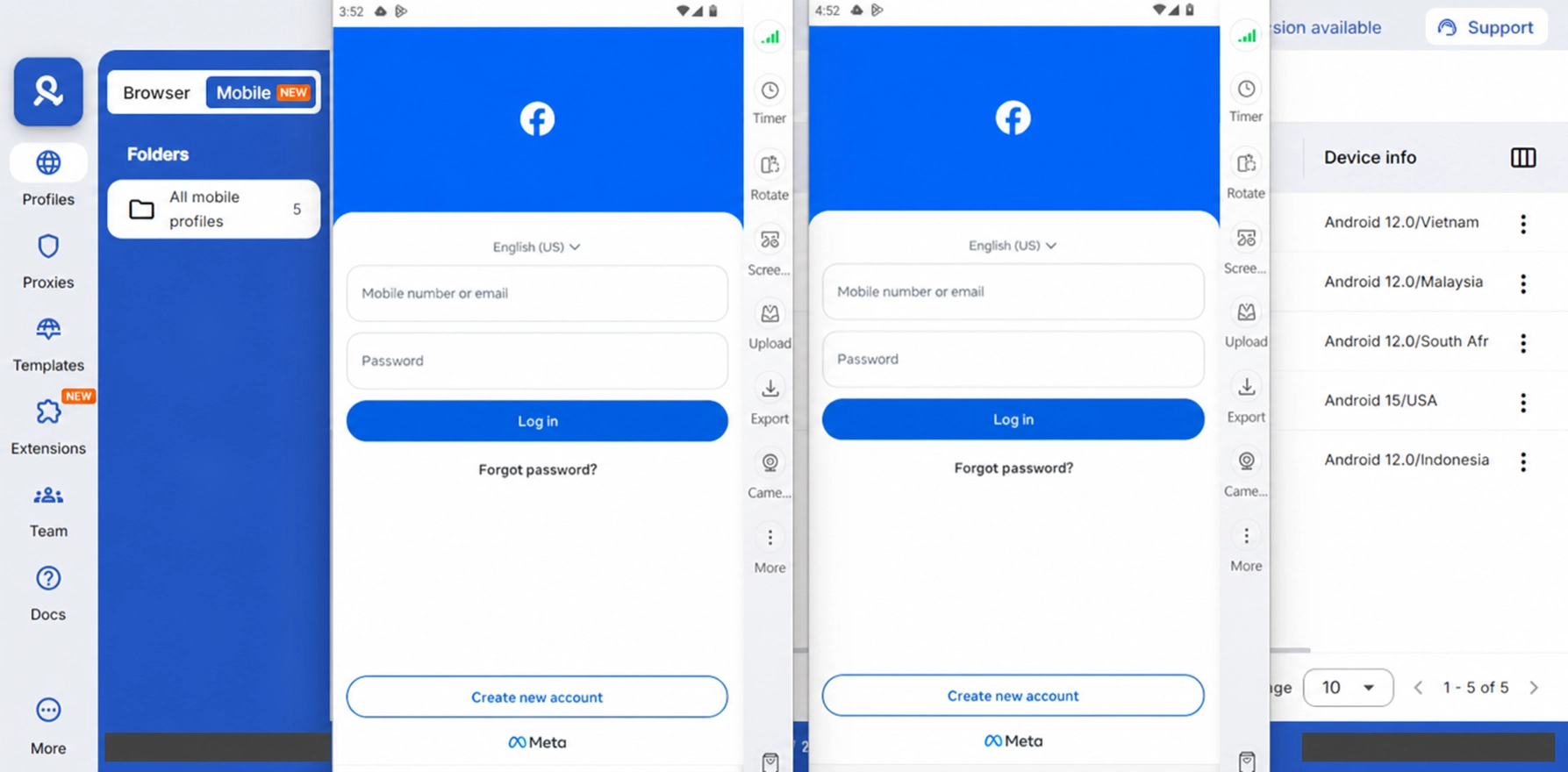
This is the feature that really does make a difference for managing several accounts at once. Every cloud phone has its own unique IMEI, Android ID and MAC address taken from actual device models across 12 real Android brands. Meaning no faking and no emulation layer for platforms to detect.
Every account is hosted on a separate dedicated cloud phone and identifiers are not shared between accounts at all. Every cloud phone is designed so that platforms see an entirely different device per account.
Built-In Residential and Mobile Proxies
Multilogin cloud phones provide integrated support for residential and mobile proxies within the dashboard. A proxy is required to use Multilogin cloud phones, without one the cloud phone will not function. Every cloud phone can be assigned a residential or mobile proxy. For example, a US account can use a US IP address and a UK account can use a UK IP address, keeping the geographic setup consistent from day one. Cloud phones also support eSIM connections if you prefer to assign a number directly to the device.
Residential proxy traffic is included with all paid Multilogin plans and the 3 day trial ($2.00) at the time of writing), although quotas will differ by tier. The trial includes 200MB of proxy traffic to get started. Entry-level plans offer 1GB of traffic per month while higher plans offer 10GB a month or more. Additional traffic can be bought at $3 per GB and unused traffic can be rolled over to the following month. Multilogin also supports third-party proxies if you would prefer to use your own provider such as our sister site ProxyApp.net.
Keeping IP addresses, device, and locale consistent helps creators and social media managers run accounts smoothly across all regions. With proxies built into the dashboard, the location will stay aligned automatically and there will be no need for manual configuration per account.
Getting started: You will need a Multilogin monthly plan to use cloud phones. Use our exclusive code SMSPOOL at checkout for 50% off any monthly plan. Monthly plans include a set allocation of mobile minutes to get you started.
A note on extra mobile minutes: Cloud phone usage costs $0.009 per minute, with all unused minutes being rolled over to the following month. If you require additional minutes beyond your plan allocation you can purchase them in bulk. Use code SMSPOOLMM for 50% off any extra cloud phone minutes package (one-time offer, one per user):
Minutes | Standard Price | With SMSPOOLMM (50% off) |
|---|---|---|
2,000 | $18 | $9 |
5,000 | $43 | $21.50 |
10,000 | $85 | $42.50 |
20,000 | $160 | $80 |
50,000 | $380 | $190 |
100,000 | $825 | $412.50 |
200,000 | $1,555 | $777.50 |
500,000 | $3,660 | $1,830 |
1,000,000 | $7,320 | $3,660 |
Please note that these codes are not stackable with each other.
High-volume operations should factor both proxy traffic and mobile minutes into their plan selection.
Persistent Sessions
Sessions persist and do not restart after each use. All app data, login state, cache, and browsing history will carry over. Account warm-up will occur naturally and gradually, while platforms see consistent, credible device behaviour instead of a fresh device appearing at each login.
This is particularly useful for creators and social media teams managing accounts long term. Sessions can be paused and resumed at any time, keeping the same device environment and account state intact.
Team Access
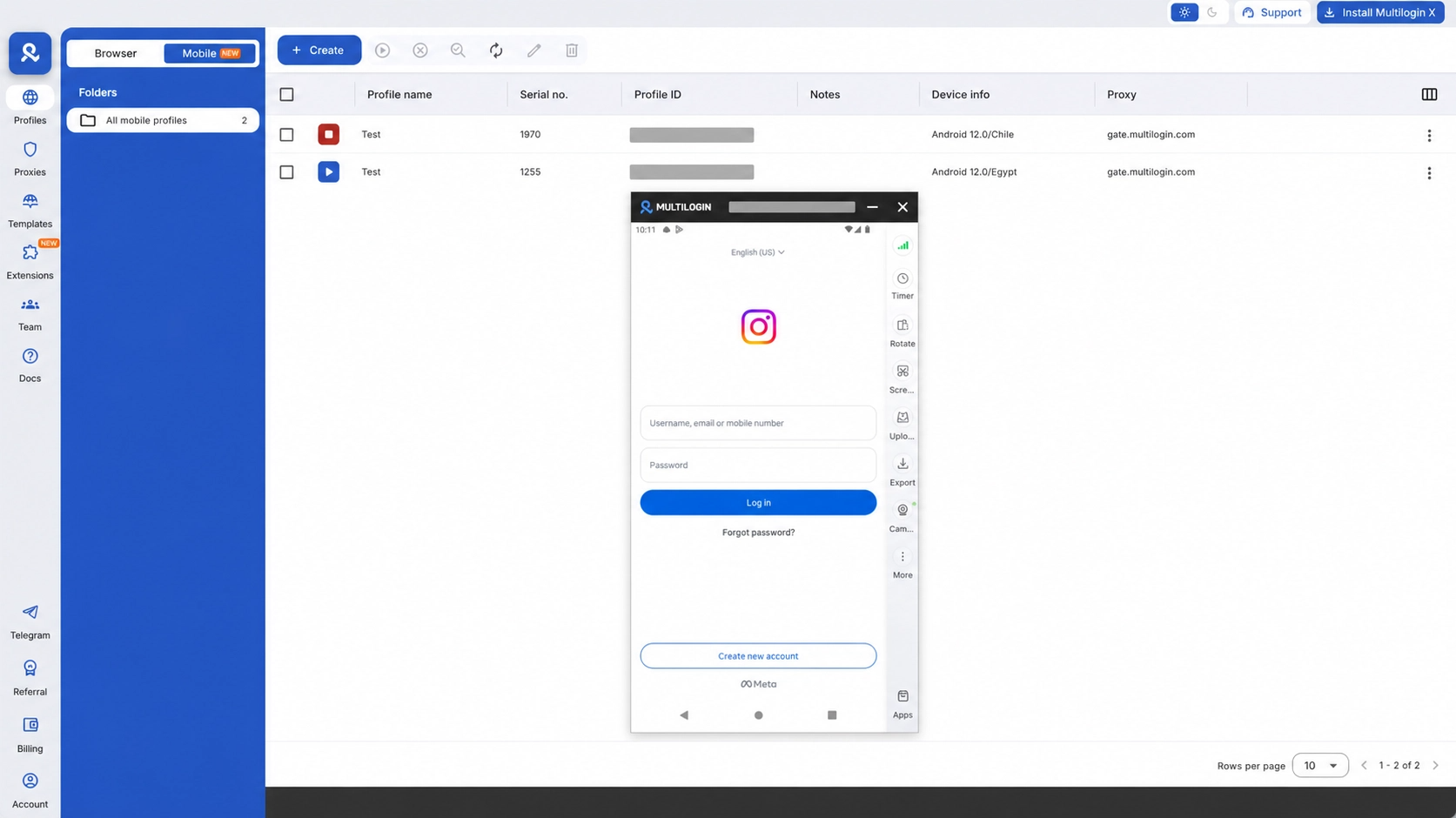
Multiple team members are able to access the same cloud phone from different locations. Sessions can be paused and resumed at any time, again keeping the same device environment and account state. A creator and their editor, or a social media manager and a client's content team, will also be able to collaborate on the same accounts without conflicts.
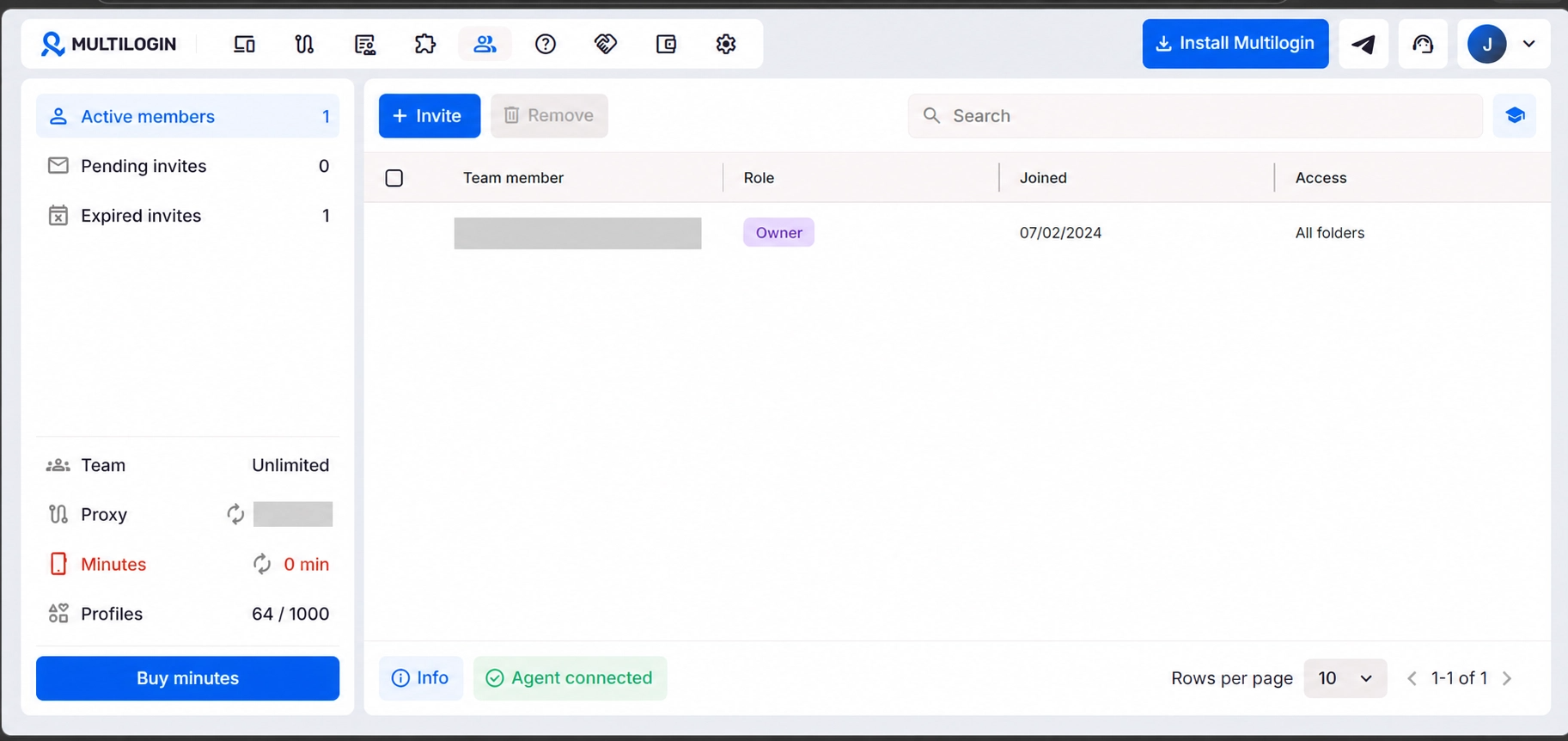
Full Android Environment
It's a fully functional Android device and not just an Android interface. It has Play Store access, camera tools, photo editing apps and multiple social media platforms that can be installed simultaneously. This is a native Android experience. Basically anything that runs on a physical Android phone will work on Multilogin's cloud phones.
Where We Come In
Multilogin handles the device layer well. However, phone number verification is outside of their scope and that is exactly what we handle for you.
Most platforms require a phone number for account activation. Instagram, TikTok, WhatsApp, Snapchat, and Telegram, along with most other major social media platforms, will ask for a verification code during account creation, and sometimes re-verification will require another code later on.
We offer real non-VoIP temporary numbers and long-term rental numbers that are capable of passing SMS verification across 1,200 platforms and 150 countries. In partnership with Multilogin we cover the entire verification stack:
Layer | Tool | What It Handles |
|---|---|---|
SMS code | SMSPool | Real non-VoIP number that passes phone verification |
IP / network | Multilogin proxy | Real ISP connection in the right country |
Device identity | Multilogin cloud phone | Real Android device hosted in the cloud |
App environment | Multilogin cloud phone | Native app experience on cloud-hosted Android |
Account isolation | Multilogin cloud phone | One cloud phone per account, fully isolated mobile profile |
Phone verification and account isolation are two separate issues that both need solving. Even the cleanest cloud phone setup cannot get past the first registration screen without a valid number and a number alone will not keep accounts separated properly. Both layers will need to be in place from the start.
For initial account creation, our temporary non-VoIP numbers start at $0.02. Most social media verifications cost between $0.09 and $0.50 per number, with exact pricing varying by platform and country.
For ongoing re-verification and 2FA, we offer long-term rental numbers held exclusively for your account. Our long-term rental numbers are $18 USD/month for the US, $20 USD/month for Canada, and $55 USD for 360 days for the UK. If a platform triggers re-verification days, weeks, or even months after account creation, the number can continue to receive SMS as long as your long-term rental is active. See the full long-term rental pricing and features.
It is extremely important that the country of the phone number matches the country of the cloud phone proxy. Keeping the number's country and the cloud phone proxy country the same helps verifications go through more smoothly. Remember to get this right before registration and not after.
Who Multilogin Cloud Phones Are For
Multilogin cloud phones are built for creators running multiple social media accounts across platforms, social media managers handling several brand or client accounts and agencies managing client work across teams and locations. They can also be a strong fit for anyone who needs fully isolated mobile profiles without the chaos of switching devices or worrying about their linked accounts.
The Verdict
As we've said before, Multilogin is built for creators, social media managers and agencies who run multiple social media accounts and want to do it without risk. Every account gets its own cloud phone or browser profile which is fully isolated, with no device chaos and no linked accounts. With persistent sessions, built-in proxies and team access, Multilogin makes multi-account workflows simple to run on a day to day basis.
Paired with SMSPool, the setup will cover every layer. SMSPool handles phone verification with real non-VoIP numbers and Multilogin handles the cloud phone, proxy, and team access layers.
→ Try Multilogin Cloud Phones Today
Frequently Asked Questions
What is a Multilogin cloud phone? A Multilogin cloud phone is an Android device hosted in the cloud. Every Cloud Phone runs as its own isolated mobile profile, so creators and social media managers can run multiple accounts without device chaos or linked accounts.
Is a Multilogin cloud phone the same as an emulator? No. Multilogin cloud phones are real Android devices hosted in the cloud and are not local emulators running on your computer and using your hardware.
How many accounts can I run on one Multilogin cloud phone? It is mainly recommended to use one account per platform on each cloud phone. There are no limits on how many platforms you can manage, so one cloud phone can be used for YouTube, Instagram, and TikTok accounts together.
Do I need a separate phone number for each cloud phone? Yes. Most platforms require a phone number for account verification and will occasionally prompt for re-verification later. We provide real non-VoIP temporary numbers for initial account creation starting at $0.02, and long-term rental numbers for accounts that need a permanent number on file for ongoing 2FA. See our long-term rental FAQ for more detail on how rentals work.
What platforms does Multilogin cloud phone work with? Basically any platform with an Android app. Common use cases include TikTok, Instagram, WhatsApp, Snapchat, Telegram, Reddit, and Facebook. Apps will install from the Play Store within the cloud phone environment.
Does Multilogin include proxies? Yes. Residential and mobile proxy support is built into the dashboard and included with all paid plans, with traffic limits varying by tier. Third-party proxies are also supported if you prefer your own provider. Entry-level plans start with 1GB of proxy traffic per month.
How does mobile minutes billing work? Cloud phone usage is billed at $0.009 per minute on top of your subscription. Most Multilogin plans include a monthly allocation of cloud phone minutes. Additional minutes can be purchased separately. Use SMSPOOL at checkout for 50% off a monthly plan. Once on a plan, use SMSPOOLMM for 50% off any additional minutes you need on top of your plan allocation. SMSPOOLMM is a one-time offer, one peruser discount code. These codes are not stackable with each other.
What Android versions and devices does Multilogin support? Multilogin cloud phones support Android versions 10 through to Android 16 and are available across 12 real device brands including Samsung Galaxy, Google Pixel, Xiaomi, OPPO and OnePlus.
Can multiple team members access the same cloud phone? Yes. Multiple team members can be given access to different cloud phones from different locations. The device identity remains consistent regardless of who is using it. Platform signals will stay stable across team members. Sessions can be paused and resumed anytime while keeping the same device environment and account state.
What happens to my cloud phone data if I cancel my subscription? User data is automatically deleted after 3 months following subscription end. If you are managing client accounts, ensure all relevant data is backed up before cancelling.
How do I make sure my SMS verification number matches my cloud phone location? The country of your SMSPool number should match the country of your cloud phone proxy. For example, a US cloud phone should use a US proxy and a US number from us. Keeping the number's country and the cloud phone proxy country the same helps verifications go through more smoothly. For tips on getting verifications right first time, see our SMS verification guide.
Can I use SMSPool for re-verification on an existing account? Yes you can. For temporary numbers you can attempt re-verification using the Resend Option. For ongoing re-verification needs, our long-term rental numbers are the best option. They are held exclusively for you and can be set to auto-renew, so that the number is available whenever a platform requests re-verification.
We provide real non-VoIP temporary and long-term rental numbers for SMS verification across 1,200 platforms and 150 countries. Numbers start at $0.02. No email address is required to sign up.
Return to knowledgebaseAbout the author
SMSPool Admin
The owner of SMSPool.net, a site that originally started as a hobby but saw rapid expansion due to the high demand, loves anything technology related and loves writing about technology related articles.
www.smspool.netOther interesting articles
How to Get eBay SMS Verification
This blog highlights eBay account security concerns, the benefits of temporary virtual phone numbers, and guides users through obtaining one via SMSPool.
- By Admin
- February 3, 2024
How to Pass Bovada SMS Verification
Learn how to pass Bovada phone verification securely. Discover why free VoIP numbers fail and how to get a real USA number to ensure safe, reliable withdrawals.
- By Admin
- April 10, 2026
How to register on OpenAI without phone
Run into issues while registering on OpenAI/chatGPT? This article guides you on how to register on OpenAI without a phone number.
- By Admin
- December 8, 2022
How to create a Greggs account
This a step by step guide on how to create a Greggs account, bypass SMS verification and get free treats!
- By Admin
- June 26, 2025
Voi SMS Verification Tutorial
Voi asking for SMS verification? Get a real non-VoIP number that Voi accepts, keep your number private, and verify the app in a couple of minutes.
- By Admin
- August 27, 2026
How to use the SMSPool API
This article is a quick guide to inform you of the full usage of the API for SMSPool to make integrations easier for your SMS verifications on your platform.
- By Admin
- December 20, 2021
How to select a custom pool on SMSPool
Step-by-step guide on selecting a custom pool on SMSPool
- By Admin
- January 4, 2026